Motions and expressions
Motions are the file's scenes and compositions, plus any you add with
ay2d_add_motion3. One motion plays in front at a time:
ay2d_motion_playstarts a motion. It fades in while whatever played before fades out, so a switch is a crossfade.- A one-shot motion holds its last frame when it ends;
ay2d_motion_finishedtells you so. A looping one wraps. ay2d_motion_stopfades everything out.
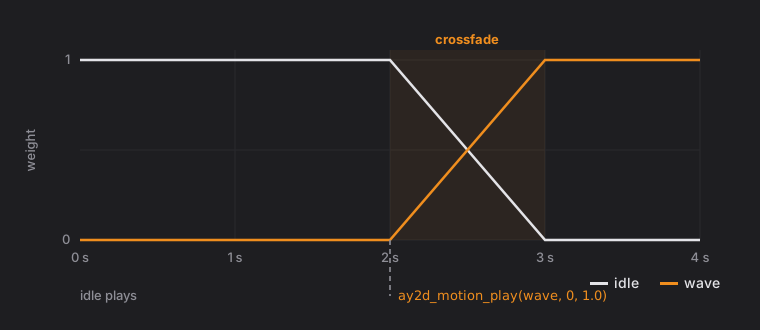
Each update a motion writes its curves over the pose by its weight. Parameters it has no curve for keep what you set. That is what lets tracking and a motion work together: drive the face from the camera and let an idle motion sway the body.
Events are text a motion fires at a set time (motion3 UserData). Read
them with ay2d_motion_events after each update; the next update replaces
the list. Nothing calls you back.
Expressions are sets of parameter changes, shown one at a time with fades, applied after motions:
| Blend | Effect | Good for |
|---|---|---|
| Add | pose + value | brows, cheeks |
| Multiply | pose × value | eye open, so a blink still closes |
| Overwrite | value | things the pose should not touch |
Fades are in seconds. Pass a negative fade to use the one the file
authored (or one second when it has none), and 0 to switch at once.