Loading a model
There are two kinds of file:
| File | What it holds | What you add |
|---|---|---|
.aom |
everything: rig, textures, motions, expressions, physics, names | nothing |
.moc3 |
the rig only | textures, and any of physics3.json, *.motion3.json, *.exp3.json |
ay2d_load tells them apart by their first bytes. It checks the whole file
before trusting any of it, and evaluates the model once so there is
something to draw straight away. The bytes you pass are read, not kept: you
can free them as soon as it returns.
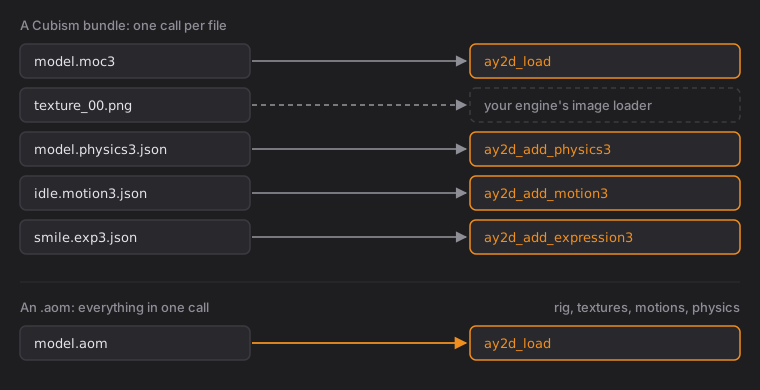
A Cubism bundle (model3.json plus files) comes in piece by piece. Read
the model3.json yourself (it is a small JSON list of file names) and hand
each file over as bytes:
ay2d_model *m = ay2d_load(moc3, moc3_len);
ay2d_add_physics3(m, physics, physics_len);                  /* if there is one */
int32_t idle  = ay2d_add_motion3(m, "idle", idle_json, idle_len);
int32_t smile = ay2d_add_expression3(m, "smile", smile_json, smile_len);
Decode the bundle's PNGs with your engine's image loader. The rig draws from
ay2d_texture_count(m) pages, in the order model3.json lists them.